
Yes, a Worklist can be directly associated with a specific Collection or Space within your workspace. This feature allows you to create a dedicated task management system that is contextually linked to a particular project or set of files, keeping your tasks and content tightly organized.
How to Create a Worklist for a Specific Space or Collection
Follow these steps to create a Worklist that is associated with a specific organisational unit:
- Open the Parent Unit: Open the specific Space or Collection from your workspace where you want the tasks to reside.
- Access the Worklist Section: Click on the Worklist icon located below the Space or Collection name.
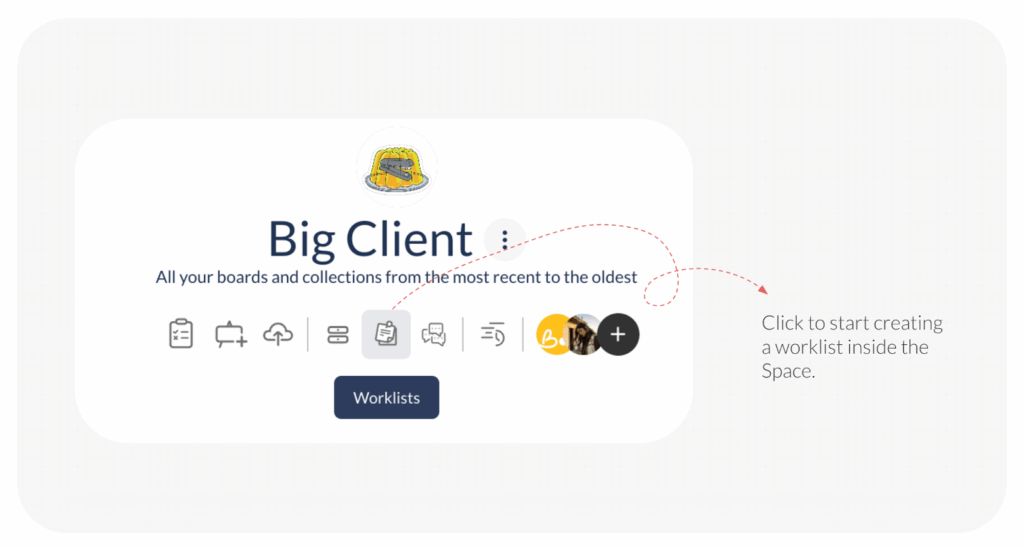
- Initiate Creation: Click on the +Create Worklist button. This will open a creation pop-up window.
- Define and Customise: In the pop-up, you will need to:
- Name your associated Worklist.
- Add existing or new members who will be working on the tasks.
- Optionally add custom Task Statuses and Task Priorities beyond the default ones.
- Finalise Creation: Click Create Worklist.
Worklist Visibility
The newly created Worklist will be visible in two locations:
- It will appear when you click on the Worklist icon from within that specific Space or Collection.
- It will also be visible under the main Worklist tab of your overall workspace.
Visited 19 times, 1 visit(s) today
Was this article helpful?
YesNo
Last modified: November 12, 2025
