
Deleting a board is a two-step process that first moves the board to the Bin and then permanently removes it. The ability to perform these actions depends on your role within the workspace.
Step 1: Deleting (Moving to the Bin)
Any member with creation privileges can initiate the first stage of deletion:
- Who Can Do It: Any Creator of the board, as well as the Manager, Admin, or Owner of the workspace, can delete a board.
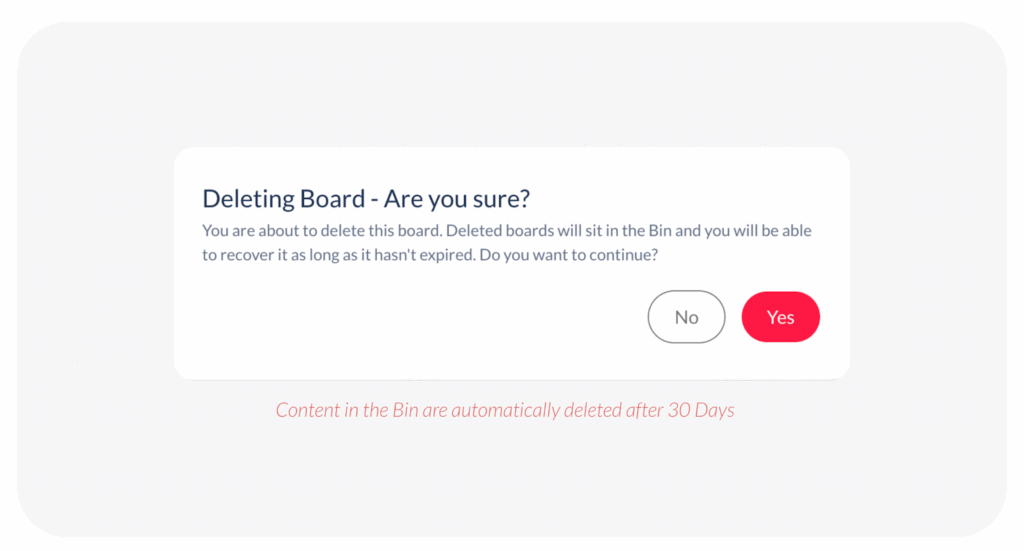
- The Action: Navigate to the board and click on the 3 vertical dots and choose the delete option. A confirmation box will appear, asking: ‘Deleting Board – Are you sure?’ Click Yes to delete the board.
- The Result: Once deleted, the board and all its contents are moved to the Bin. The board is no longer visible in your active workspace or file lists.
Step 2: Permanently Deleting (From the Bin)
To completely remove the board and free up its storage space, it must be permanently deleted from the Bin:
- Who Can Do It: Only the Admin or Owner of the workspace has permission to permanently delete content from the Bin.
- The Action: Navigate to the Bin section of your workspace, locate the deleted board, and choose the ‘Delete’ option.
Remember that content left in the Bin is automatically deleted after 30 days. If you need them to be deleted sooner, you must ask an Admin or Owner to perform the final deletion from the Bin.
Visited 45 times, 1 visit(s) today
Was this article helpful?
YesNo
Last modified: December 17, 2025
